




I approached MingloTalk: AI Character Chat as an entertainment app rather than a conventional messaging tool. Its appeal is the idea of chatting, playing, and shaping an AI-based world in one place, but that promise also makes trust and personal boundaries important parts of the experience. When an app invites imaginative conversation, it can feel casual very quickly, so I paid attention not only to what was enjoyable, but also to how carefully a user needs to manage what they share.
MingloTalk is developed by shopihi and is available for free on Android. It sits in the entertainment category, carries a Mature 17+ age rating, and has reached over a million installs. Its average score is 4.7 from around twenty-two thousand ratings, with roughly one thousand two hundred written reviews. Those figures suggest that the concept has found a substantial audience, although popularity alone is not a substitute for deciding whether its style suits you.
How MingloTalk feels in everyday use
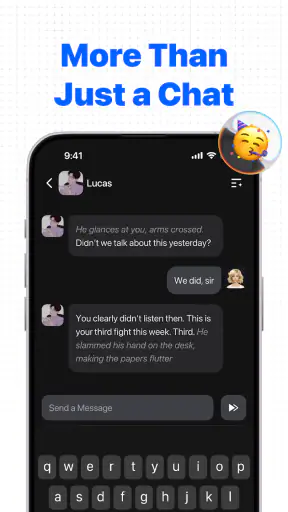
The central experience is conversational. Instead of opening a conventional social feed or a library of finished stories, I found the idea of MingloTalk more personal: the user enters an AI-driven setting and interacts with characters or situations through text. That makes it closer to a mixture of role-play, casual entertainment, and interactive fiction than to a standard chatbot used for work.
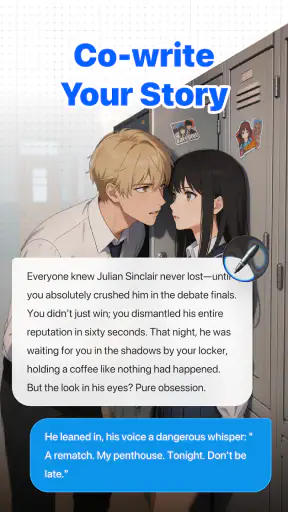
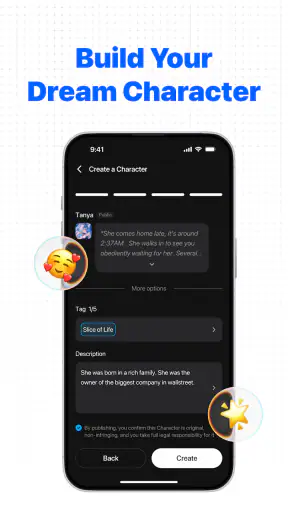
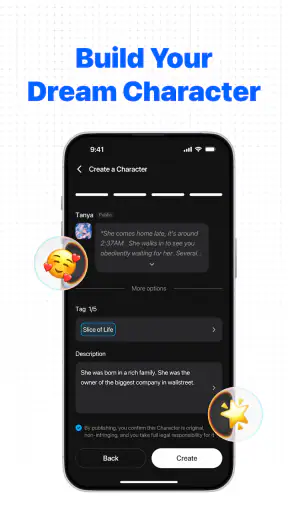
I can see the attraction after a long day when I want something lightweight but more responsive than watching a video. A short exchange can become a small scene, a playful challenge, or an improvised story. The “create your own AI world” concept is especially interesting because it gives the user more ownership than simply selecting a fixed character and following a predetermined script.
That flexibility is also the first important trade-off. A traditional game usually gives me clear objectives, rules, and progress. A streaming app gives me polished content without asking me to guide it. MingloTalk depends more heavily on my prompts and imagination. If I enjoy steering a conversation, testing different personalities, and building a scenario gradually, that openness is a strength. If I want a finished narrative with consistent pacing, it may feel less satisfying.
The most useful way to approach it is to treat each conversation as a session rather than expecting a complete game campaign. I would begin with a simple premise, establish the tone, and then add details only when they matter. For example, instead of asking for an enormous fantasy universe immediately, I might define a small setting, one relationship, and one immediate problem. That gives the interaction a clearer direction and makes the result easier to control.
Why the audience is broad, but not universal
The app can work for people who enjoy character chat, improvisation, fictional companionship, or interactive storytelling. It may also suit someone who wants a creative prompt generator when writing privately. The entertainment value comes from participation: I am not merely consuming content, I am helping decide what happens next.
However, I would not recommend it as a replacement for a trusted friend, a professional adviser, or a serious information source. AI conversation can sound confident or emotionally engaging without having the judgment of a person who knows the real situation. That distinction matters even more when the app is used during loneliness, stress, or a difficult personal moment.
The Mature 17+ rating is a clear reason for younger users to avoid it. Parents should not treat the free download as proof that the experience is suitable for every household. The age label should be considered before installation, particularly if a device is shared or if a younger person can access the account.
There is also a practical audience question around spending. The app is free to download, but optional purchases range from about two dollars to nearly two hundred dollars per item. That is a very wide range, so I would not enter the experience assuming that every part of the creative journey will remain cost-free. Anyone who dislikes virtual purchases should review the payment settings on the device before experimenting.
Trust begins with what I can actually check
For an AI entertainment app, trust is not just about whether the conversations are fun. I also want to know what choices are visible, what account controls exist, and what information I am being asked to provide. Those details should be checked directly in the app and in the operating system’s permission screens rather than guessed from the concept or the store description.
I would start by reading the sign-in flow carefully. If MingloTalk offers more than one way to create or access an account, I would choose the option that exposes the least unnecessary personal information while still allowing the features I want. I would also look for account-management pages, sign-out controls, and any route for deleting an account or requesting removal of associated content. These are not glamorous features, but they are the controls I value most when an app is built around ongoing conversations.
The same careful approach applies to permissions. I would deny any permission that does not make sense for the activity I am trying to perform, then see whether the app still works. If a feature later needs access, the operating system should normally present a request at that moment. This is better than granting everything during setup and forgetting what was enabled.
I would also inspect notification settings. Conversation-based apps can become surprisingly intrusive if alerts arrive throughout the day. Turning off nonessential notifications does not reduce the creative value of the app; it simply puts me back in charge of when I return. For someone who wants MingloTalk as an occasional evening activity, this small adjustment can make the difference between a pleasant tool and a persistent distraction.
Because the current version is 1.0.8 and the minimum supported Android release is 7.0, compatibility should be straightforward for many older devices. Still, I would keep the app updated through the official store and revisit its visible settings after updates. Interface changes can move privacy choices, notification controls, or purchase options, and a quick review prevents old assumptions from becoming habits.
What not to share during an engaging conversation
The most important data-sensitive moment is often not the installation screen; it is the conversation itself. A believable character can make it easy to type details I would never post publicly. I would avoid entering passwords, payment information, government identifiers, private medical records, exact home details, or confidential work material. There is no entertainment benefit that justifies placing those details into an AI chat.
I would use fictional substitutes when a scene needs realism. A made-up town works just as well as a real address. A fictional employer is enough for a workplace plot. If I want advice about a personal situation, I can remove names, dates, and identifying details before asking. This keeps the creative exercise useful while reducing the amount of sensitive context attached to it.
Another subtle risk is the accumulation of small facts. A single harmless detail may reveal little, but a long-running conversation can gradually describe routines, relationships, locations, preferences, and vulnerabilities. I would occasionally reread a conversation before continuing it and ask whether I am comfortable with all of that context existing together. If not, I would start a fresh scenario with a cleaner fictional background.
I would be equally careful with content involving other people. Copying a private message from a friend or colleague into an AI conversation may expose someone else’s words and circumstances without their consent. Rewriting the situation in general terms is the more respectful option. This is one of the less obvious habits that makes a character-chat app safer to use without taking away its imaginative side.
The Mature 17+ label also means I would not assume that every theme will feel comfortable or appropriate for every adult. Users should set their own boundaries before beginning a scenario, and they should stop when the conversation moves in a direction they do not want. Entertainment is optional; there is no reason to continue an interaction simply because it has already become immersive.
Keeping control over the experience
My preferred workflow would be to separate creative sessions by purpose. I might keep one conversation for a light adventure, another for brainstorming, and a third for testing a character concept. This makes it easier to reset the tone when a story becomes muddled, and it prevents unrelated personal details from being carried into every new interaction.
I would also give the AI clear limits at the beginning of a session. A short instruction such as “keep this fictional, avoid graphic themes, and ask before changing the setting” can make the exchange easier to guide. It is not a guarantee that every response will follow the instruction perfectly, but it gives me a practical way to correct the direction when needed.
One useful trade-off is between freedom and consistency. A broad prompt can produce surprising ideas, but it may also lead to characters changing personality or forgetting earlier details. A narrower prompt produces a more controlled experience, though it can feel repetitive. I would use broad prompts when exploring possibilities and tighter instructions when I want a coherent scene.
I would not spend money simply to rescue a disappointing conversation. Since purchases can be substantial, the sensible approach is to test the free experience, understand what the app offers, and decide whether the added option genuinely improves the way I use it. A purchase should solve a clear need, not result from pressure created by a frustrating session.
Device-level purchase authentication is worth enabling as well. This is especially important on a shared phone or tablet. A free installation can still lead to expensive accidental taps if payment confirmation is too relaxed. The safest setup is one where every purchase requires deliberate approval from the account holder.
Notification discipline is another form of user agency. I would schedule my own time for the app rather than answering every alert. If I notice that I am checking it automatically, I would mute notifications for a while or remove it from the most visible part of the home screen. MingloTalk works best as something I choose to open, not something that chooses the moment for me.
How it compares with familiar alternatives
Compared with a standard messaging app, MingloTalk is more imaginative but less grounded in real human relationships. A messaging service is the better choice when I need dependable contact with friends, family, or colleagues. The AI-world approach is better when I want a fictional exchange without asking another person to participate.
Compared with a conventional story game, it offers more room for improvisation and fewer fixed rails. That can produce memorable moments because my choices shape the direction, but it can also lack the polish, balance, and carefully authored payoff of a finished game. Players who value visual production, precise mechanics, or a defined ending may prefer a traditional title.
Compared with a general-purpose AI assistant, the entertainment focus is the key difference. MingloTalk is a better fit for character-led interaction and playful world-building. A productivity-oriented assistant is usually the more sensible option for research, planning, document work, or dependable factual tasks. I would keep those purposes separate rather than expecting one app to excel at both.
Compared with watching a series or listening to an audiobook, MingloTalk demands more effort but gives me more influence. Passive media is superior when I want to relax without making decisions. This app is more rewarding when I am in the mood to participate. That sounds obvious, but it is the deciding factor: the best alternative depends on whether I want authorship or escape.
Who should install it, and who should skip it
I would recommend trying MingloTalk to adults who enjoy improvisation, fictional characters, and open-ended digital entertainment. It is particularly suitable for someone who likes experimenting with prompts and does not need every session to deliver a structured conclusion. Writers may also find value in using it as a way to challenge a premise or explore dialogue, provided they keep confidential material out of the chat.
I would suggest skipping it if you want a conventional game with clear levels, a social app centered on real friends, or a reliable source for important decisions. I would also avoid it if the Mature 17+ rating does not fit your household, if you are uncomfortable managing optional purchases, or if you know that conversational apps make it difficult for you to maintain healthy boundaries.
For privacy-conscious users, the answer is not simply yes or no. The app can be approached cautiously by limiting permissions, using fictional context, reviewing account controls, and controlling notifications. But that requires active participation from the user. If you want an experience that demands no attention to settings or personal disclosure, a more limited offline entertainment option may be a better match.
My cautious verdict
MingloTalk has a distinctive entertainment idea: it turns conversation into the main activity and gives the user a role in shaping an AI world. I enjoyed the possibility of moving between casual chat, role-play, and creative experimentation without committing to a long game. Its strongest quality is openness, because the experience can become whatever kind of fictional session I decide to build.
That same openness means I would use it with rules of my own. I would keep personal information out, check permissions and account controls, limit notifications, and treat purchases carefully. I would also remember that an engaging AI character is still part of an app, not a human confidant or an authority on sensitive matters.
With that mindset, the free download is worth exploring for the right adult audience. The high average rating and large install base show that the format has broad appeal, while the Mature 17+ label and wide purchase range deserve attention before regular use. My recommendation is therefore positive but measured: try it for creative play, keep the boundaries visible, and choose a different kind of app whenever you need real-world reliability, private human support, or a fully authored game experience.


